



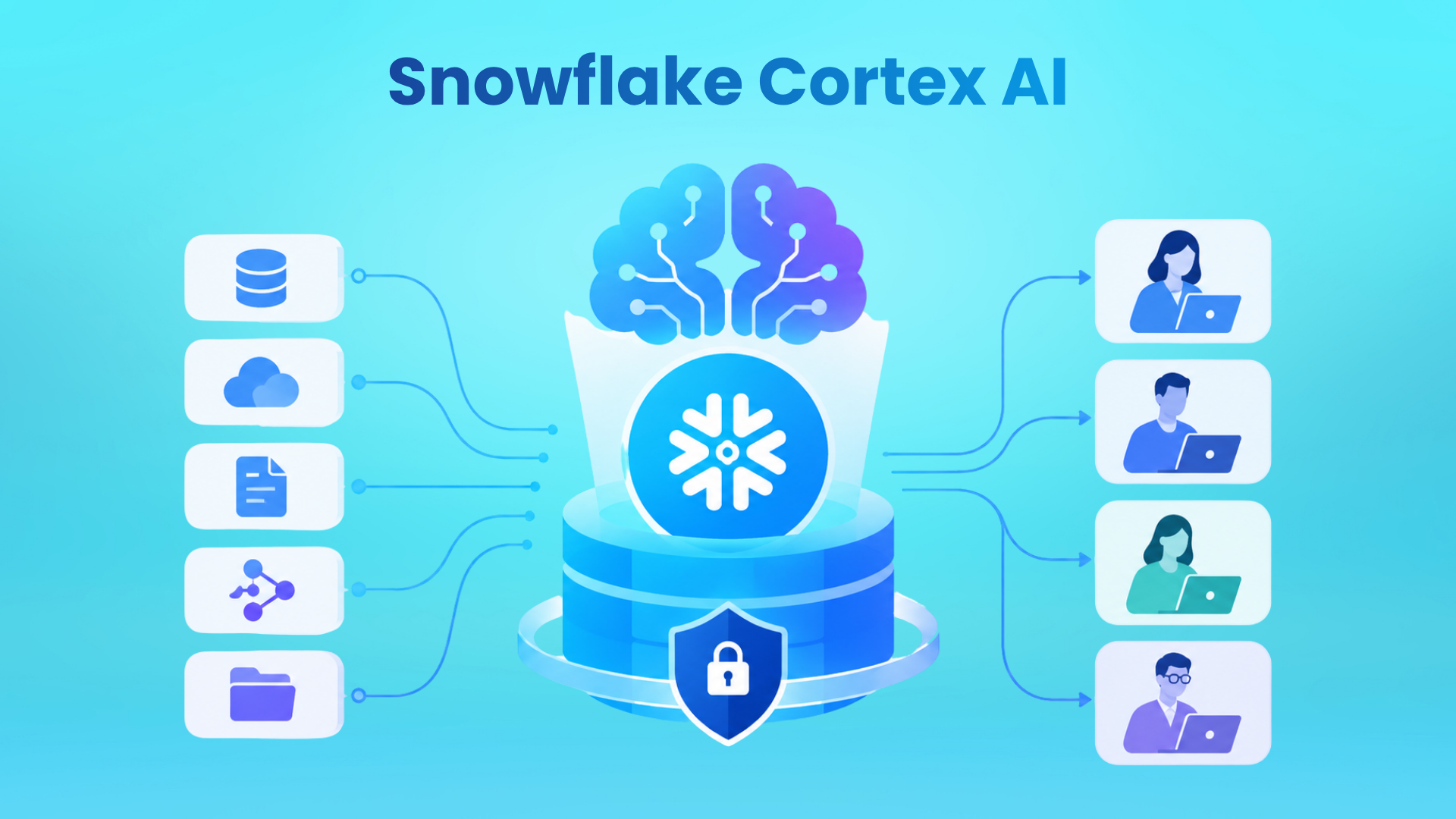
Most enterprise AI pilots stall for the same reason. The data that makes a model useful sits in governed systems, and every route to an outside model means a new security review, a new copy of the data, and a new bill. Teams lose months to approvals before a model answers a single business question.
Snowflake built Cortex to close that gap. This guide answers the question data leaders keep asking: what is Snowflake Cortex AI, and does it belong in your stack? It covers components, architecture, functions, models, pricing, and limits, using Snowflake’s own documentation.
What Is Snowflake Cortex AI?
Snowflake Cortex AI is a suite of managed AI services inside Snowflake. It lets teams run large language models, search, and agents on governed data without moving that data outside Snowflake’s security perimeter.
Snowflake describes Cortex as AI features that use large language models to understand unstructured data, answer freeform questions, and provide intelligent assistance. You reach it through SQL, Python, REST APIs, or a chat interface. Access follows the same role-based access control you already apply to tables and views.
The practical effect: AI becomes another operation on data you already govern. A summary or a document extraction is a function call inside a query, not a separate integration project.
What Are the Features of Snowflake Cortex AI
The Snowflake Cortex AI features sit in layers. Some work on a single column of text. Others reason across many tables and documents.
| Component | What it does | Typical use |
| AI Functions | SQL and Python functions to summarize, classify, extract, translate, redact, and more | Batch processing of text, images, audio, and documents |
| Cortex Analyst | Converts natural language questions into SQL using semantic views | Self-service questions on structured data |
| Cortex Search | Hybrid vector and keyword search with semantic reranking | RAG chatbots and enterprise search |
| Cortex Agents | Plans a task, calls tools, and reflects on the results | Multi-step questions across structured and unstructured data |
| Snowflake CoWork | Conversational work agent for business users, formerly Snowflake Intelligence | Cited answers, charts, and Deep Research |
| Cortex Code | Data-native AI coding agent, shown as CoCo in parts of the documentation | Building pipelines, models, and applications |
The suite also lists Cortex Fine-tuning and Cortex AI Guardrails. A Cortex AI Gateway lets platform teams control model access and attribute spend.
Note: Snowflake renamed Snowflake Intelligence to Snowflake CoWork in 2026.
Snowflake Cortex AI Architecture
The Snowflake Cortex AI architecture has four layers, and the order matters.
- Governed data. Tables, views, stages, and semantic views. Existing roles, row access policies, and column-level security still apply.
- Models inside the service perimeter. Snowflake states that the LLMs it provides through its AI features are deployed within the Snowflake service perimeter.
- Tools. AI Functions handle row-level work. Cortex Analyst turns questions into SQL over semantic views. Cortex Search retrieves from unstructured text.
- Orchestration and interfaces. Cortex Agents run a plan, use tools, and reflect loop. Users reach agents through Snowflake CoWork, Cortex Code, or the REST API.
Two design choices matter. First, semantic views map business terms to your schema for Cortex Analyst, so answer quality tracks how well you define them. Second, cross-region inference is how some models run, and the CORTEX_ENABLED_CROSS_REGION parameter controls where requests can be routed. That setting also decides your AI Credit price.
Snowflake Cortex AI Functions
Snowflake Cortex AI functions are the fastest place to start. They are managed functions you call in a SELECT statement, and they work on text, images, and documents.
- Generate and reason: AI_COMPLETE is the general-purpose function. AI_AGG returns insights across many rows and is not limited by context window size.
- Classify and filter: AI_CLASSIFY, AI_FILTER, and AI_SENTIMENT.
- Extract and parse: AI_EXTRACT, AI_PARSE_DOCUMENT, and AI_REDACT for removing personally identifiable information.
- Summarize and translate: AI_SUMMARIZE, AI_SUMMARIZE_AGG, and AI_TRANSLATE.
- Embed and compare: AI_EMBED, AI_MULTI_EMBED, and AI_SIMILARITY.
- Audio: AI_TRANSCRIBE.
- Helpers: TO_FILE, AI_COUNT_TOKENS, and PROMPT.
A basic call looks like this:
SELECT ticket_id,
AI_COMPLETE(‘<model>’, ‘Summarize in one line: ‘ || ticket_text) AS summary
FROM support_tickets;
Three rules keep these functions predictable. First, run them in batch, because they are optimized for throughput, and use the REST API when latency matters. Second, check the status of each function, because some are preview features and only those not marked as preview are generally available. And third, control access, because callers need the USE AI FUNCTIONS privilege plus the CORTEX_USER or AI_FUNCTIONS_USER database role. By default, USE AI FUNCTIONS and CORTEX_USER are granted to the PUBLIC role, so every user in the account can call these functions until you revoke them.
Snowflake AI Capabilities in Practice
The capabilities that matter most in enterprise work map to four jobs.
- Document intelligence and RAG. AI_PARSE_DOCUMENT converts digital or scanned files into text with layout preserved. Cortex Search can then index that output and act as the retrieval engine for a chatbot.
- Privacy-safe analytics. AI_REDACT strips personally identifiable information from free text before you run sentiment or summarization on it.
- Conversational analytics. Cortex Analyst and Snowflake CoWork let business users ask questions in plain language. CoWork adds traceability to source data and lets data teams add verified answers.
- Agentic workflows. Cortex Agents can combine SQL, retrieval, Python execution, and MCP connectors to tools such as Jira and Salesforce. CoWork Deep Research splits a hard question into parallel investigations and returns a cited report, which can take up to 10 minutes.
These Snowflake AI capabilities share one control plane, so you govern them together.
Which LLM Does Snowflake Cortex Use?
Snowflake Cortex AI gives access to models from OpenAI, Anthropic, Meta, Mistral AI, DeepSeek, and xAI through its AI Functions, and its agent model list also includes Google. For embeddings in Cortex Search, Snowflake offers its own Arctic embedding models alongside a Voyage multilingual model.
Availability changes by model, region, and feature. For agents, Snowflake recommends the auto setting, which selects the highest quality model for your account. Run SHOW CORTEX BASE MODELS to see current, legacy, and end-of-life dates. For generally available models, Snowflake says it will make reasonable efforts to give at least 60 days of notice before deprecation.
Security and Governance
Snowflake lists three design principles for its AI features: full security, data privacy, and control. Except where you elect otherwise, Snowflake Cortex AI models run inside Snowflake’s security and governance perimeter. Your data is not available to other customers or model developers. Snowflake states it never uses Customer Data to train models made available to its customer base. Role-based access control governs who can use each feature, and you can grant access to individual models through model roles.
Agent tools that reach outside Snowflake, such as web search and MCP connectors, send requests over the public internet. Snowflake also warns that outputs may be inaccurate or biased, so automated pipelines need human review.
Snowflake Cortex AI Pricing
Snowflake bills its AI features in AI Credits, which are separate from Platform Credits. Per Snowflake documentation, an AI Credit costs $2.00 with global routing and $2.20 with regional routing, regardless of edition. There are no per-seat fees.
What you pay depends on the service:
- AI Functions are billed per million tokens, and the rate varies by model. Input and output tokens both count, except embeddings, where only input tokens are counted.
- AI_PARSE_DOCUMENT is billed per 1,000 pages.
- Cortex Search bills serving compute per GB of indexed data per month, and it runs continuously while the service is resumed, plus embedding tokens.
- Cortex Agents and Snowflake CoWork bill per token, and costs add up across every tool the agent calls.
- Warehouse compute still applies when SQL runs alongside a Cortex call.
For controls, use resource budgets, per-user quotas, and an orchestration budget on each agent. Track spend through usage views such as CORTEX_FUNCTIONS_QUERY_USAGE_HISTORY and CORTEX_AGENT_USAGE_HISTORY. Rates by model sit in the Snowflake Service Consumption Table. Check it before you forecast.
Limits of Snowflake Cortex AI
- Regional availability. AI Functions are available in select regions, and regional routing costs more than global routing.
- Feature maturity. Preview features can change faster and are not meant for production.
- Output quality. Snowflake does not guarantee the accuracy of LLM responses or citations, so validate before serving answers to users.
- Data readiness. Agents are only as reliable as the semantic views and documents behind them.
- Cost variability. Token pricing scales with volume and model choice, and Cortex Search bills even when idle.
How to Get Started with Snowflake Cortex AI
- Check region availability and your cross-region setting.
- Confirm privileges: USE AI FUNCTIONS and the CORTEX_USER or AI_FUNCTIONS_USER role.
- Run one of the Snowflake Cortex AI functions on a small table. Use AI_COUNT_TOKENS to estimate cost first.
- Build a semantic view and connect Cortex Analyst.
- Create a Cortex Search service on your documents. Snowflake recommends chunks of no more than 512 tokens.
- Combine the tools into a Cortex Agent, test it in Snowsight, and expose it in Snowflake CoWork.
- Set budgets before you widen access.
Bottom Line
Snowflake Cortex AI is strongest when your data already lives in Snowflake and governance is the blocker to AI adoption. The Snowflake AI capabilities are broad, but the value comes from a narrow start. Pick the Snowflake Cortex AI features that fit one use case, and set one cost baseline.
Frequently Asked Questions
What is Cortex AI in Snowflake?
Cortex AI is Snowflake’s managed suite of AI services that runs LLMs, search, and agents inside the platform. The Snowflake Cortex AI features include AI Functions, Cortex Analyst, Cortex Search, Cortex Agents, Snowflake CoWork, and Cortex Code, all governed by Snowflake roles and policies.
Is Snowflake Cortex worth it?
It is worth it when your data already sits in Snowflake and governance is slowing AI work. It is a weaker fit if your data lives elsewhere or nobody monitors token spend. Start with one batch use case, measure credits per outcome, then expand.
Which LLM does Snowflake Cortex use?
Several. Depending on the feature and region, Snowflake offers models from OpenAI, Anthropic, Meta, Mistral AI, DeepSeek, xAI, and Google. Snowflake’s own Arctic models handle embeddings for Cortex Search. Run SHOW CORTEX BASE MODELS to see what your account can use.
How much does Snowflake Cortex AI cost?
Usage-based. AI features are billed in AI Credits at $2.00 with global routing or $2.20 with regional routing, and per-token rates vary by model. There are no per-seat fees, and warehouse compute is billed separately. Check the Service Consumption Table for current rates.
How to use Cortex Snowflake?
Use a role with the USE AI FUNCTIONS privilege and the CORTEX_USER or AI_FUNCTIONS_USER database role, then call a function such as AI_COMPLETE in a SELECT statement. For analytics and search, create a semantic view or a Cortex Search service, then combine them in an agent.